Showing posts with label Classic templates. Show all posts
| 0 comments ] Posted by: [ veerublog ]

Demo site here : Download from here

Desktop Chaos is a another popular wordpress theme with nice color contrast combination and aimed towards the Writer and Literary type of Blogger. This template was originally designed by Evaneckard and Desktop Chaos Blogger Template converted into blogger XML format by Deluxetemplates


| 0 comments ] Posted by: [ veerublog ]

Simple but nice template. With gold maple leaves accent.
View Demo: HERE Download: HERE.


| 0 comments ] Posted by: [ veerublog ]

View Demo: HERE Download: HERE.


| 0 comments ] Posted by: [ veerublog ]

Still on classic template blogger, this blog template so cute. has digg, delicious, anda technorati fav on this template. if you wanna to use this blog template, please download the notepad file HERE. after that, copy and paste on your template, and done


| 0 comments ] Posted by: [ veerublog ]

This template i adobted by wordpress template, then i convert to blogger template, use classsic template as platform, so enjoy it

Related Entries:
How to install your Classic Blogger Template

Free-templates-for-blogger

dirtylicious-template

Deep-blue-blogger-template


| 0 comments ] Posted by: [ veerublog ]


| 0 comments ] Posted by: [ veerublog ]


How to install your Blogger Template
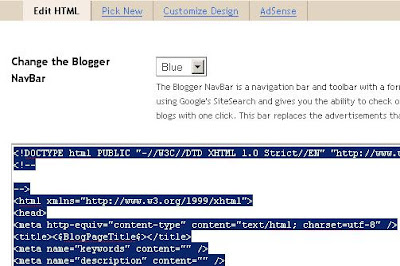
1. First of all, make sure that you choose HTML template. Sign-in in Blogger, go to the Template tab, and pick “Edit HTML“. If, at the end of the page there is a “Revert to Classic Template” button, please press it.


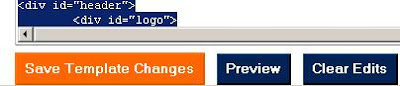
2. Select all the source code for the original template and delete it. Copy and paste the template code that we provider into the template Edit HTML Window.


3. Everything done! Press “Save Template Changes“.


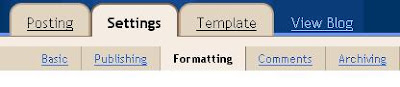
4. If you are having problems with the template, go to the Settings tag, choose Formatting.

5.Scroll to the bottom of the page. You will see the Enable float alignment option. Choose: No


| 0 comments ] Posted by: [ veerublog ]